You treat.
Delta writes.
The clinical assistant built for osteopaths. Delta formats your consultation notes, session reports, and referral letters, and so you never lose the thread between sessions.
right-sided neck pain · C4–C6 mobility restricted in rotation · muscle energy techniques
Delta briefs you before every patient.
The reason for consultation, case history, what was worked on last time, what's changed since. Delta hands it to you before the patient walks in.
The pre-session brief
Reason, history, last session: the essentials of the file in seconds.
Real memory
Every session linked to the previous ones. Delta surfaces trends over time.
The literature at your fingertips
Evidence from the literature to support your practice.

“With Delta, I'm truly present with my patient: I'm no longer chasing after my notes. Between sessions, I pick up the follow-up thread effortlessly.”
During the session, or right after.
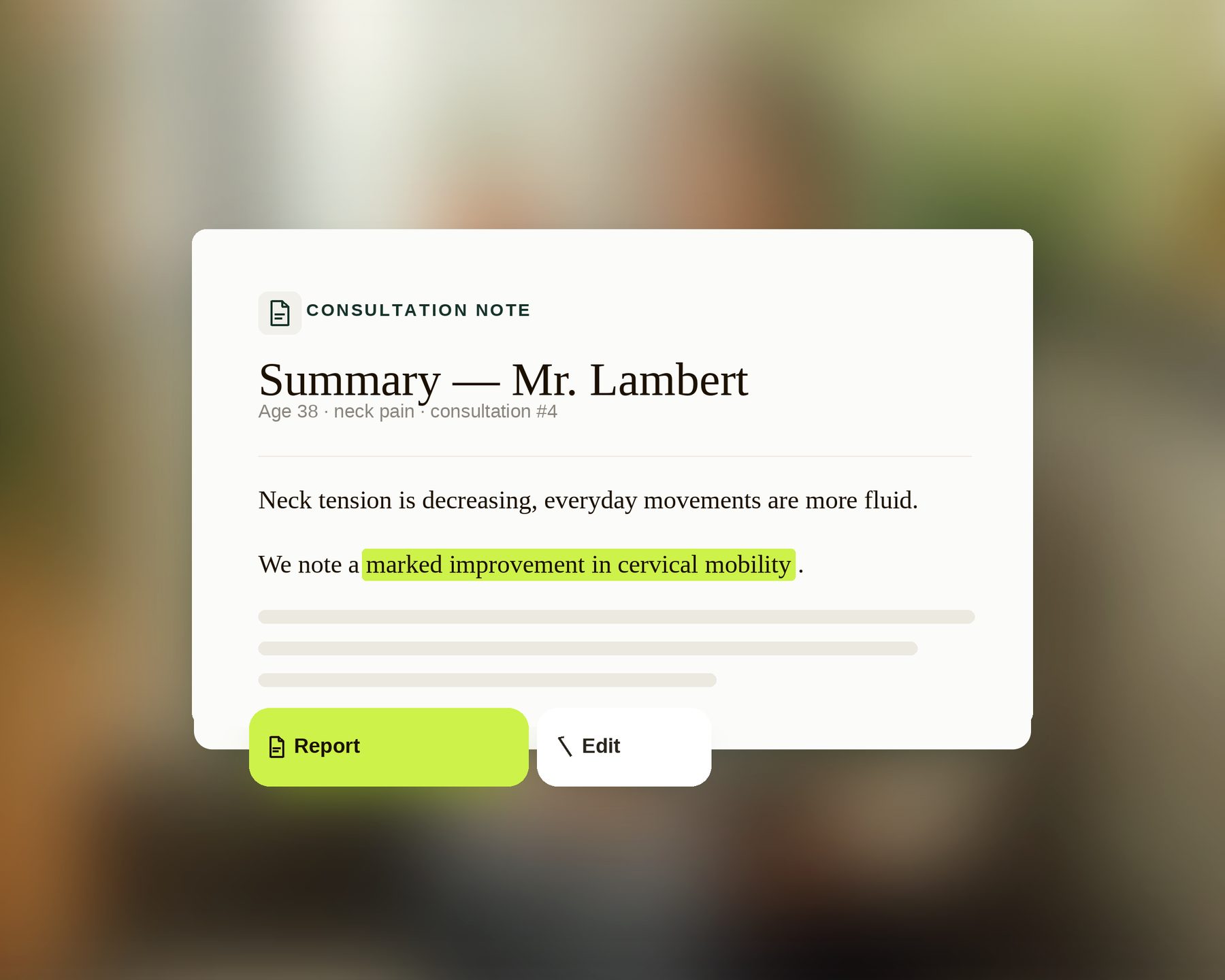
The note is ready.
From consultation notes to referral letters, Delta formats it.
Consultation notes, session reports, referral letters: Delta formats them from the session, in your template and your style. You review, adjust, and export.
It's not just time saved.
It's attention given back to the patient.
Your sessions never train an AI.
Zero training. Your patient data serves only you, never to improve a model. It's our most important commitment, because that data belongs to you and your patients, not to us.
Questions we get from osteopaths.
Everything you need to know before getting started.
EN
Is Delta compatible with my practice?
Yes. Delta offers templates for the main osteopathic approaches: structural, myofascial, cranial, visceral, functional, tissue-based. You can also create and customise your own templates so they match how you work. Delta adapts to your vocabulary, without ever deciding for you.
Does Delta replace my current note-taking tool?
Yes. Delta replaces your note-taking tool and your patient record: the note writes itself and you read it over. You can also keep the record you use today and copy what Delta produces into it. Delta links every session to the previous ones and formats all your documents: consultation notes, session reports, letters to the referring physician, follow-up supporting letters.
In practice, you no longer juggle a note-taking tool + a patient file + a letter generator: Delta does all three, plus longitudinal follow-up memory. Most of our users arrive with a notebook, a Word file, or notes typed between two patients.
Does Delta replace my practice management software (scheduling, billing)?
No, and that's by design. Delta focuses on the clinical and documentation side: consultation notes, session reports, letters, follow-up memory. Your calendar, appointment booking, and billing stay on the tool you already use (Doctolib, your practice management software…).
Delta works alongside it, not instead of it: you get every document in one click (copy-paste, PDF, structured export) to file wherever you like. No migration required, no duplicate data entry.
Does Delta make diagnoses or decisions on my behalf?
No. Delta is a documentation and writing tool: it formats what you observe and decide, in your style. It makes no diagnosis, recommends no treatment, and never substitutes for your clinical judgment.
The evidence from the literature that Delta can display is purely informational: something to consider, never a recommendation. The clinical decision is always yours.
Do I need to inform my patients? And how?
Yes, informing the patient is required under GDPR. As an osteopath, you're bound by patient confidentiality to your patients as part of your practice. For consent, the simplest approach is to clearly inform the patient; if you're unsure of the formalities that apply to your status, check with your professional body.
In practice, Delta provides you with an information poster to display in your practice or waiting room, indicating that you use Delta so you can focus fully on your patients. This is the approach taken by the leading tools on the market.
If you want to go further, you can mention Delta verbally at the start of the first session: some practitioners prefer this direct transparency. The patient can always decline: in that case, you take notes manually as before. Delta remains entirely optional, session by session.
Do my notes stay confidential from my patients?
Absolutely. Your consultation notes are strictly private, intended solely for your clinical use. Patients have no direct access to them. If a patient requests to see their file (GDPR right of access), it's up to you to decide what you share: Delta never does this automatically. Confidentiality is fully respected.
Does Delta still work when I'm treating a patient, away from my screen?
Yes. Session audio is captured via your computer's microphone or a phone placed nearby, you don't need to stay in front of the screen while examining or treating the patient. The audio is automatically deleted as soon as transcription is complete. You can also dictate everything right after the session.
Does Delta comply with the professional code of ethics for osteopaths?
Delta is designed to fit within the regulatory framework of the osteopathy profession (French decree n°2007-435 and related texts). The patient is informed that the session is being captured (Delta provides an information poster and a sample verbal notice) and can decline at any time, in that case, you take notes manually, session by session. Confidentiality is preserved, data is hosted in France with an HDS-certified host, and you keep full control over what's kept or deleted.
Does Delta keep the thread between widely spaced sessions?
Yes, that's precisely its strength. Take a patient you see again six weeks or six months later: Delta hands you the reason for consultation, what was worked on, the advice given, and the reported progress: without you having to reread the whole file. The follow-up thread comes back together in seconds.
Can I import my old patient files?
Yes. Delta lets you import your old files (Word notes, PDFs, or manual entries) so follow-up memory starts with your existing history. We help you with this step for free when you move to the Pro plan.
What happens if I stop using Delta? Can I get my files back?
Your files belong to you. At any time, you can export the entirety of your notes, session reports, and case histories as PDF or structured format (JSON). After cancellation, you have 90 days to retrieve your data before permanent deletion.
No technical lock-in: your documents remain readable outside Delta, and your follow-up memory can be re-imported elsewhere if needed.
Does Delta work for all my patients (infants, athletes, pregnant women)?
Yes. Delta offers templates tailored to the different populations you treat: infants and pediatrics, pregnant women, athletes, older adults. You stay in control of the template and vocabulary, Delta simply formats what you observe and decide.